
Screenshots
App details
- Version
- 1.0
- Size
- 60.83 MB
- Updated
- July 10, 2024
- Requires
- Windows 11
- Language
- English | Spanish | Portuguese | French...
- License
- Free
- Developer
- Mário A. Gemelgo
- Category
- Windows OS
SoftPas in:
This product is also available in the following languages:
About MCPDF
Download MCPDF – Free PDF Merge, Split, Rotate & Compress Tool for Windows
Looking for a lightweight, secure, and free PDF management tool? MCPDF is a powerful yet simple software designed exclusively for Windows users who need to merge, split, rotate, and compress PDF files without hassle. Developed by Mário A. Gemelgo, this free tool delivers essential PDF editing features in a clean, intuitive interface. With a minimal file size of just 2.4 MB, MCPDF runs smoothly on Windows 11 and above, making it ideal for users who want fast performance without heavy system demands. Whether you're a student organizing research papers, a professional managing contracts, or someone handling invoices and forms, MCPDF simplifies your workflow. The software supports multiple languages including English, Spanish, and Portuguese, ensuring accessibility for a global audience. Best of all, MCPDF is completely free with no trial limitations or hidden fees. No need to pay for premium features—everything you need is included from day one. Regular updates ensure long-term compatibility and security. Download MCPDF today and experience a streamlined way to handle your PDF documents efficiently.
Key Features of MCPDF – What Makes It Stand Out?
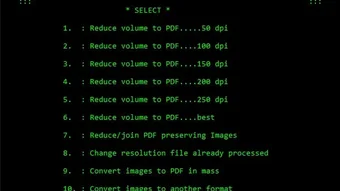
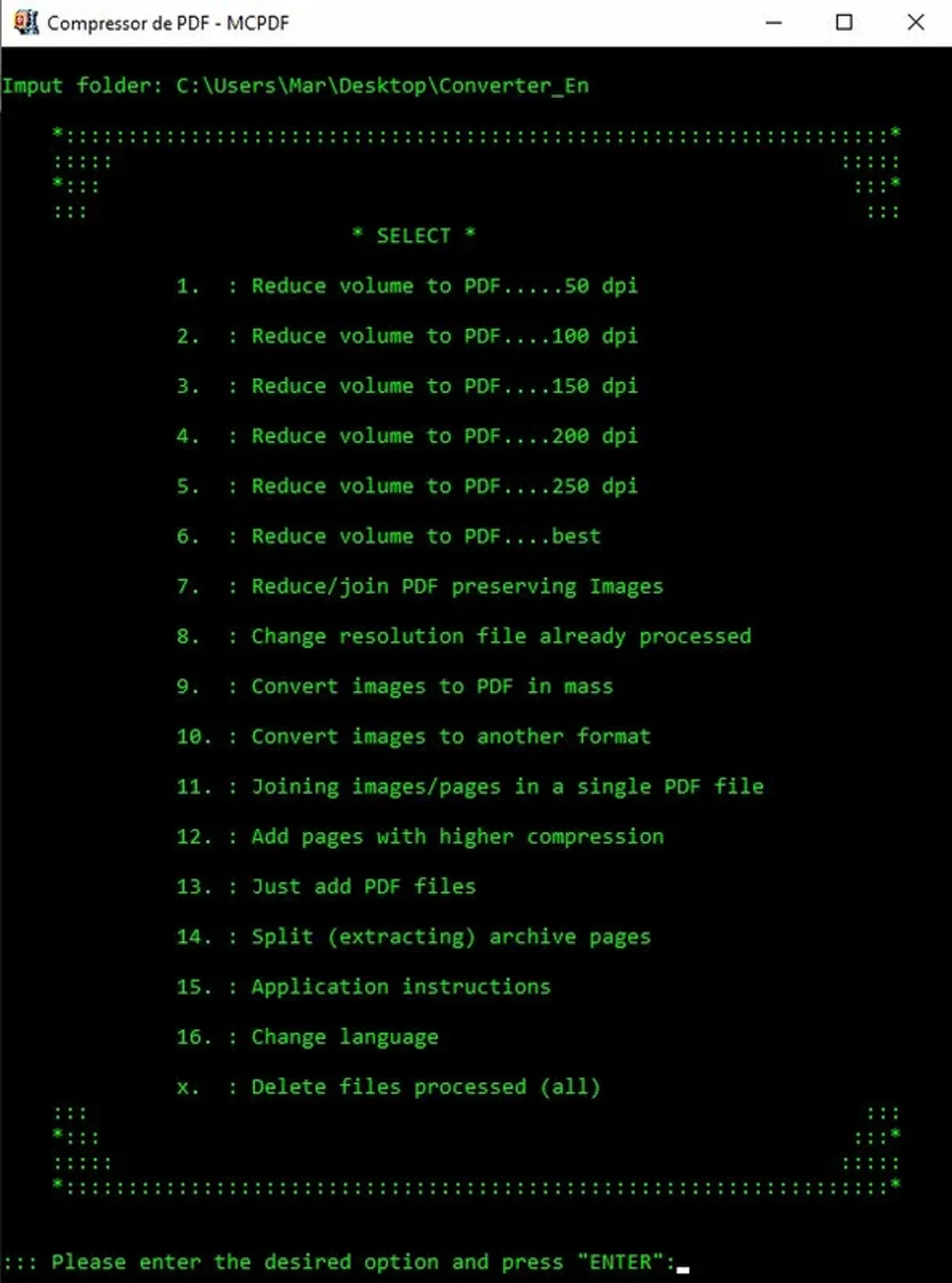
One of the biggest advantages of MCPDF is its focus on simplicity without sacrificing functionality. Unlike bulky PDF editors that come with overwhelming menus and steep learning curves, MCPDF delivers a streamlined experience tailored to everyday tasks. The software supports four core functions: merging multiple PDFs into a single file, splitting large PDFs into smaller sections, rotating pages to correct orientation, and compressing files to reduce their size—perfect for email attachments or cloud storage.
Each feature is accessible through a clean, user-friendly interface. The merge function allows you to drag and drop multiple files in any order, with real-time previews to confirm the sequence. For splitting, you can choose to break a document by page range or by bookmarks, which is particularly useful when extracting chapters from a thesis or separating forms from a report. The rotation tool lets you adjust pages in 90-degree increments, ensuring your documents are always properly aligned. And the compression feature intelligently reduces file size without significantly compromising quality, making it ideal for sharing large PDFs via email or uploading to platforms with size limits.
Additionally, MCPDF is built with security in mind. It processes files locally on your device, meaning your sensitive documents never leave your computer. There’s no cloud upload, no data collection, and no tracking—just privacy-first PDF editing. The software is also lightweight, consuming minimal RAM and CPU, so it won’t slow down older or low-spec machines. With support for English, Spanish, and Portuguese, MCPDF caters to a growing international user base. Whether you're a freelancer, student, or office worker, MCPDF offers a reliable, no-frills solution for managing your PDFs efficiently and securely.
How to Install and Use MCPDF on Windows – Step-by-Step Guide
Getting started with MCPDF is quick and hassle-free. Since it’s a portable application, you don’t need to go through a complex installation process. Here’s how to download and use it on your Windows PC:
- Step 1: Visit the official Softonic page or trusted source to download the MCPDF installer (version 1.0, 2.4 MB).
- Step 2: Run the downloaded file. Since it’s a free tool, you’ll be prompted to confirm the installation—click “Yes” or “Run” to proceed.
- Step 3: Choose your preferred installation location. While MCPDF can be installed to any folder, it’s recommended to keep it in your “Programs” or “Apps” directory for easy access.
- Step 4: Once installed, launch the application. The main window opens with four clear buttons: Merge, Split, Rotate, and Compress.
- Step 5: Select your desired function. For example, to merge files, click “Merge,” then drag and drop your PDFs into the interface. Rearrange them using the up/down arrows if needed.
- Step 6: Click “Start” to process the file. The software will generate the output in your chosen folder.
- Step 7: After completion, you can open the new file directly from the interface or navigate to the output location.
Using MCPDF is intuitive, even for first-time users. The interface is minimal, with no confusing tabs or hidden options. All actions are clearly labeled, and progress bars show real-time status. There’s no need to learn complex shortcuts or settings. For advanced users, the tool also allows batch processing—meaning you can handle multiple files at once without restarting the app. This makes it perfect for bulk tasks like organizing a week’s worth of invoices or compiling student assignments. Because MCPDF runs locally and doesn’t require an internet connection, you can use it offline—ideal for secure environments or remote work. The software is also compatible with Windows 11 and above, ensuring smooth performance on modern systems.
Compatibility & System Requirements – Is MCPDF Right for You?
MCPDF is specifically designed for Windows users, with full compatibility across Windows 11 and newer versions. It does not currently support Mac, Android, or iOS, so if you’re on a different operating system, you may need to look for alternative tools. However, for Windows users, especially those with older or low-spec machines, MCPDF shines due to its lightweight nature and minimal system requirements.
The software only requires a few megabytes of disk space (2.4 MB) and runs efficiently even on systems with limited RAM. This makes it a great choice for students using budget laptops, remote workers on older PCs, or professionals who want a fast, no-frills PDF tool. Since it’s a standalone executable, there are no background processes or dependencies to manage—just run the app and start working.
One of the standout benefits of MCPDF’s compatibility is its local processing. Unlike cloud-based tools that require constant internet access and may upload your files to third-party servers, MCPDF keeps everything on your device. This is crucial for handling confidential documents like contracts, medical records, or financial statements. No data leaves your computer, ensuring privacy and compliance with data protection standards.
Additionally, MCPDF supports multiple languages—English, Spanish, and Portuguese—making it accessible to users beyond the English-speaking market. The interface is fully translated, so language isn’t a barrier to using the tool. Whether you’re in Brazil, Spain, or the U.S., you’ll find the software easy to navigate. While it’s currently only available for Windows, the developer has hinted at future updates for other platforms, so keep an eye on official channels for announcements.
Pros & Cons – Is MCPDF Worth Your Time?
- Pros:
- Completely free with no trial or hidden fees
- Lightweight and fast, ideal for low-spec systems
- Local processing ensures data privacy and security
- Intuitive interface suitable for beginners and experts
- Supports merging, splitting, rotating, and compressing PDFs
- Portable and easy to install or run from a USB drive
- Regular updates for bug fixes and improvements
- Available in multiple languages (English, Spanish, Portuguese)
- Cons:
- Currently only available for Windows (no Mac, iOS, or Android support)
- Limited to basic PDF editing—no OCR, form filling, or advanced annotations
- No built-in preview for merged files before saving
- Minimal customization options for compression settings
- Not available on major app stores (only through third-party sites like Softonic)
Frequently Asked Questions (FAQ) – Your MCPDF Queries Answered
What is MCPDF used for?
MCPDF is a free Windows tool used to merge, split, rotate, and compress PDF files. It’s ideal for organizing documents, reducing file size for email, or preparing reports and presentations.
Is MCPDF safe to download and use?
Yes, MCPDF is considered safe. It’s developed by Mário A. Gemelgo and distributed through trusted platforms like Softonic. The software runs locally and doesn’t collect personal data or upload files to the cloud.
Can I use MCPDF on Windows 10?
While MCPDF officially supports Windows 11 and above, many users report successful operation on Windows 10. However, for full compatibility and performance, it’s recommended to use it on Windows 11 or later.
Does MCPDF support batch processing?
Yes, MCPDF allows batch processing for merging and compressing multiple files at once, saving time when handling large numbers of PDFs.
Is there a Mac or mobile version of MCPDF?
Currently, MCPDF is only available for Windows. There are no official Mac, iOS, or Android versions. However, the developer has mentioned potential future updates, so check the official site for announcements.
Final Verdict – Why You Should Download MCPDF Today
If you're searching for a reliable, secure, and free PDF tool for Windows, MCPDF is an excellent choice. It delivers essential features like merging, splitting, rotating, and compressing PDFs in a lightweight, user-friendly package. With no trial limitations, no hidden costs, and no data collection, it’s a trustworthy option for both personal and professional use.
While it lacks advanced features like OCR or form filling, its simplicity is its strength. It does what it promises—efficiently and securely—without unnecessary bloat. Whether you’re a student organizing research, a freelancer managing client documents, or a business professional handling reports, MCPDF saves time and enhances productivity.
With regular updates and growing user feedback, MCPDF is proving to be a solid alternative to paid tools like WinRAR or Adobe Acrobat. Its minimal system requirements make it perfect for older devices, and its local processing ensures your documents stay private.
Download MCPDF now and take control of your PDF workflow—free, fast, and secure.
Guides & Tutorials
How to install MCPDF
- Click the Download button above.
- Once redirected, accept the terms and click Install.
- Wait for the MCPDF download to finish on your device.
How to use MCPDF
This software is primarily used for its core features described above. Open the app after installation to explore its capabilities.
User Reviews
No reviews yet. Be the first to share your experience.
You may also like
more
Llama 2
Free-to-use large language model As the new addition to Meta’s arsenal of langua...

NotebookLM
Revolutionizing the note-taking and idea-generation process NotebookLM is an exp...

Github co pilot
AI-inspired software development and coding platform GitHub Copilot is a browser...

Google Gemma
Google’s lightweight AI models Introducing Google Gemma , a family of cutting-ed...

AI Image Enlarger
A free app for Windows, by ai-image-larger. AI Image Enlarger is a free software...

DALL E
AI-driven text-to-image transformation engine DALL·E is a free graphic and desig...